

AI Video Generator
Generate AI videos from text, images, or photos with Seedance 2.5, Kling, Veo 3.1, and WAN, complete with voice and sound
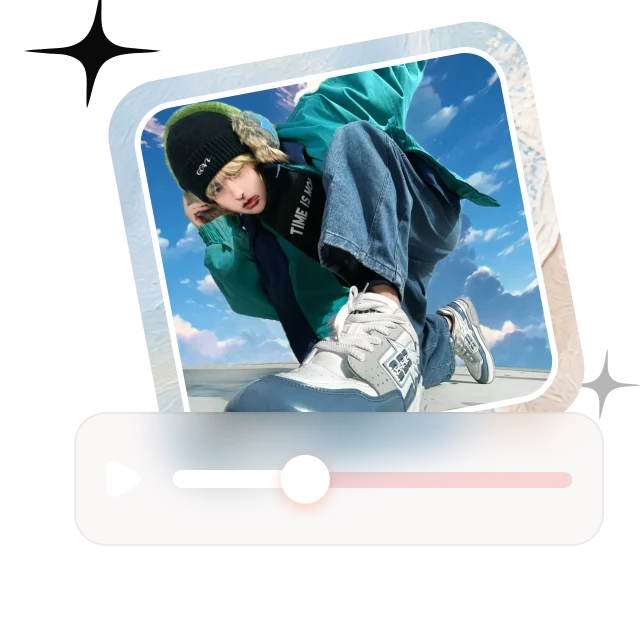

Pick a prompt and see the real result
Made with Seedance 2.5


What You Can Make with the AI Video Generator
Eight popular AI video styles, each with real examples from the community. Hover to watch, click to remix.
An AI product video generator for commercials and ads, with macro shots, slow motion, and studio lighting.
Prompt idea:Premium coconut water commercial, slow push-in through jungle mist, droplets on the bottle


An AI anime video generator with cel-shaded characters, dramatic lighting, and hand-drawn motion.
Prompt idea:Anime samurai kneeling in a bamboo forest at night, rain, wind in his hair, cel-shaded


An AI cartoon video generator in a 3D animated film style, made for kids' stories and mascots.
Prompt idea:3D animated film style, a fluffy snow creature learns to ice skate on a frozen lake


Funny and heartwarming AI animal videos that travel well on TikTok, Reels, and Shorts.
Prompt idea:A raccoon doing laundry at a late-night laundromat, handheld camera, deadpan comedy


AI food videos with sizzling close-ups, pours, and appetizing slow motion for menus and ads.
Prompt idea:Extreme close-up of a soft omelette being sliced open, steam rising, warm restaurant light


AI sci-fi and fantasy videos with dragons, mechs, and neon cities. Shots that would be impossible to film.
Prompt idea:A red dragon sprinting across a frozen tundra, snow exploding under its claws, tracking shot


Aerial and drone-style AI videos of skylines, streets, and landscapes, generated from text.
Prompt idea:Aerial shot circling a Manhattan skyscraper at golden hour, haze over the skyline


Cinematic AI video portraits for trailers, music videos, and title sequences.
Prompt idea:Close-up of a woman turning toward the camera at night, bokeh city lights, 85mm, shallow focus


How to Make an AI Video from Text or an Image
Step 1

Write a prompt or upload a photo
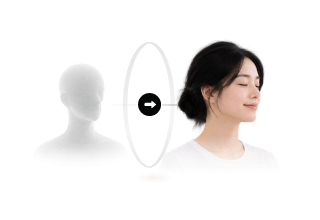
Generate an AI video from text, turn an image or photo into a video, or set start and end frames.
Step 2

Pick an AI video model
Choose Seedance, Kling, Veo, or WAN, then set the aspect ratio, resolution, and duration. Generate several takes at once.
Step 3

Upscale and add voice
Sharpen the keeper with the AI video upscaler, then add an AI voiceover or lip sync with any Fish Audio voice.
Direct Every Shot with the AI Video Generator
Text to video and image to video with real camera control, and every clip ready for voice and sound.
Reference Control
Guide each shot with reference images and video so characters and scenes match the picture in your head.
- Reference images and video keep characters and scenes consistent
- Negative prompts to rule out what you don't want
- Several takes per run, compared side by side
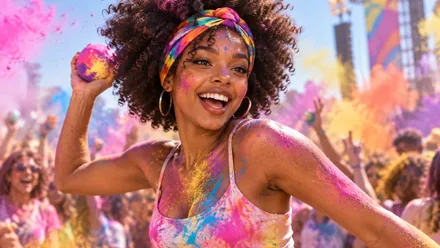
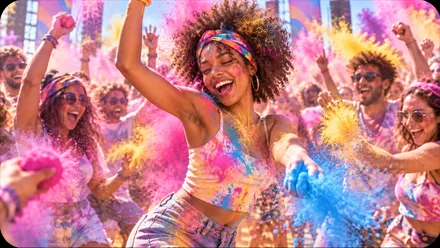
Every format for YouTube and social
Pick the aspect ratio, resolution and duration per shot, and copy motion from a reference clip when you need an exact move.
- 16:9, 9:16, 1:1, 4:3 and 21:9 for YouTube, TikTok, Reels and Shorts
- Match video copies an exact motion; Match image adds new motion
- Upscale the final cut with an AI video upscaler

AI Video Models: Seedance 2.5, Kling O3, Veo 3.1, and WAN 3.0
Switch models in one click. No extra accounts, no separate subscriptions.
More AI Models
AI Video Models
Lip Sync and Avatar Models
AI Image Models
AI Video Generator Use Cases
From ad teams to solo creators, see who uses AI video and what they make
 Seedance 2.5
AI Video Ads and Product Videos
For marketers and e-commerce brands. Turn a product photo into a video ad, generate teasers and B-roll in any aspect ratio, and test variations without a reshoot.
Try It Now Kling V3 Pro
Short Films and Animation
For filmmakers and animators. Previsualize scenes, build animatics, and produce anime and 3D cartoon shots, then give every character its own voice.
Start Creating Seedance 2.5
YouTube, TikTok, Reels, and Shorts
For YouTubers and social creators. Make scroll-stopping animal stories, food clips, and cinematic shorts, complete with an AI voiceover.
Get Started
Generate AI Videos from Claude, Codex, and Any MCP Client
Connect the Fish Audio MCP and generate images, videos, and voiceovers without leaving your agent. Same models, same credits.
Create with the Best AI Video Generator Models
Seedance 2.5, Kling O3, Veo 3.1, WAN 3.0, and more, a community feed to remix, and 2,000,000+ AI voices to bring it to life.
AI Video Generator FAQ
It depends on the shot, which is why Fish Audio puts every top model in one AI video generator. Use Seedance 2.5 or Kling O3 for cinematic motion, Veo 3.1 for realism, and WAN 3.0 or MiniMax H3 for fast drafts, and compare them on the same prompt.
Describe the scene, the camera move, and the style in the prompt box, pick a text to video model, and generate. Most AI videos are ready in a few minutes.
Yes. Upload an image or photo as a reference or a first frame, describe the motion, and generate. Some image to video models also accept an end frame, so you control where the shot lands.
Yes. Seedance 2.5 generates video with native audio, and you can add an AI voiceover, character voices, or lip sync to any clip with Fish Audio voices, including your own cloned voice.
Seedance 2.5, 2.0, and 1.5 Pro, Kling O3 Pro, V3 Pro, and 2.6 Pro, Veo 3.1, WAN 3.0, MiniMax H3 and H3 Max, and Gemini Omni Flash. New models are added shortly after they launch.
It depends on the model. Most generate clips of a few seconds up to around 10 seconds, and Seedance 2.5 and WAN 3.0 support clips up to 30 seconds.
Browsing Explore and studying every prompt is free, and the Free plan includes daily AI image generations. AI video generation is included in the Plus, Pro, and Max plans, with credits shared across voice, image, and video.
Paid plans include commercial use, so you can put your AI videos in ads, monetized YouTube channels, client work, and products. Content made on the Free plan is for personal, non-commercial use.